|
<< Click to Display Table of Contents >> Bitmap Properties |
  
|
|
<< Click to Display Table of Contents >> Bitmap Properties |
|
To see the Bitmap Properties (also known as Bitmap Attributes) box right-click on the bitmap and choose Properties.
NOTE: Some video cards are known to have problems sizing bitmaps so SpecView Bitmaps are fixed to their original size by default
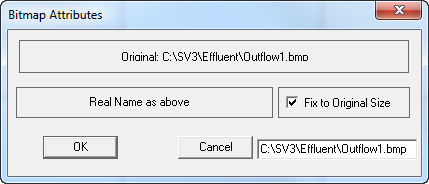
Uncheck Fix to Original Size then click OK, the bitmap can now be re-sized.